Connectivity
This section covers how to manage your device’s wireless connectivity, including Bluetooth, mobile data, Wi-Fi, and tethering options such as hotspot and USB tethering.
Enabling Bluetooth & Pairing
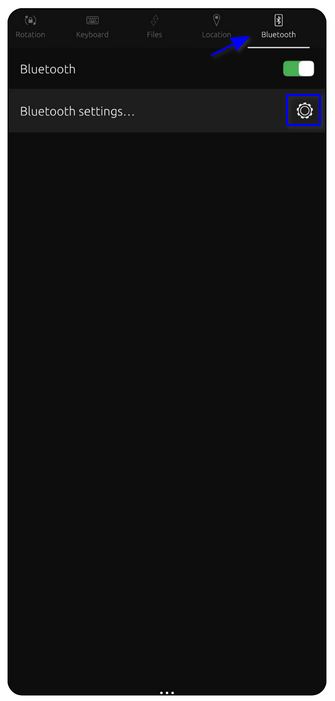
Swipe down from the top of the screen to open the Quick Settings menu. Tap the Bluetooth icon to enable or
disable it.
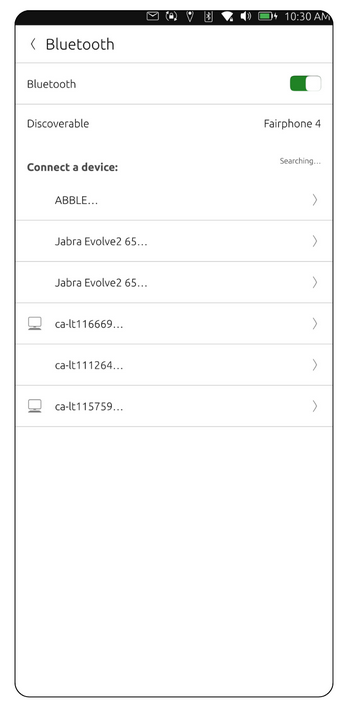
1. Enable Bluetooth if it's disabled. You may have to wait for the list to populate with nearby devices.
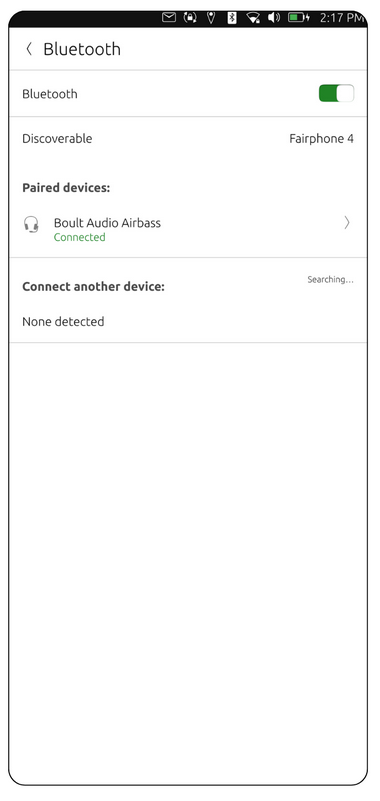
3. Tap the device you want to connect to. Confirm the pairing request on both devices if prompted.
Enabling Mobile Data
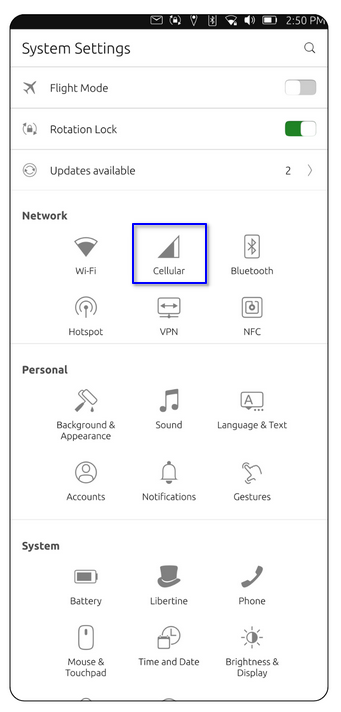
1. Go to System Settings → Cellular.
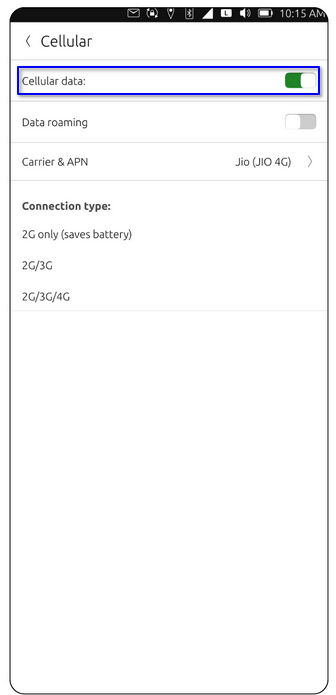
2. Enable the Cellular data toggle.
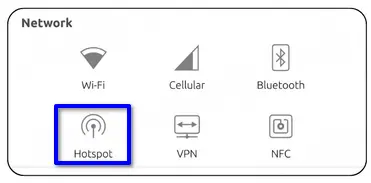
Open System Settings → Network → Hotspot.
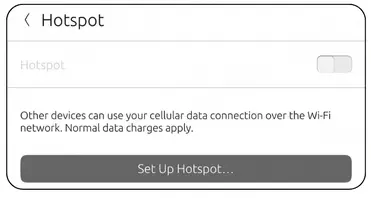
Toggle the switch to enable the Hotspot, then tap Set Up Hotspot.
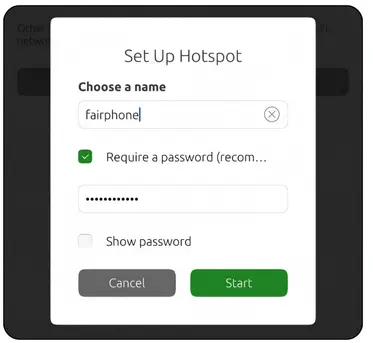
Choose a name and enter a secure password, then click on Start.
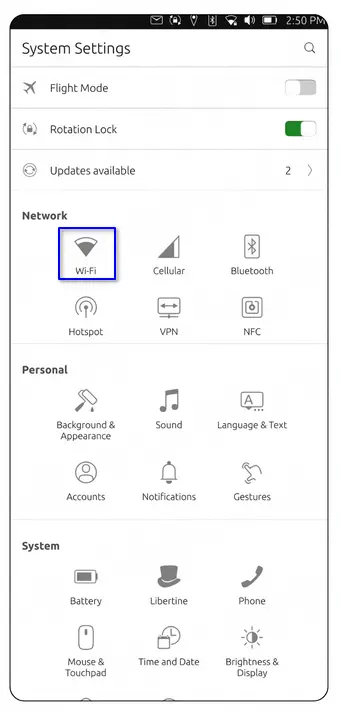
1. Swipe down from the top and tap the Wi-Fi icon or go to System Settings →Network→ Wi-Fi.
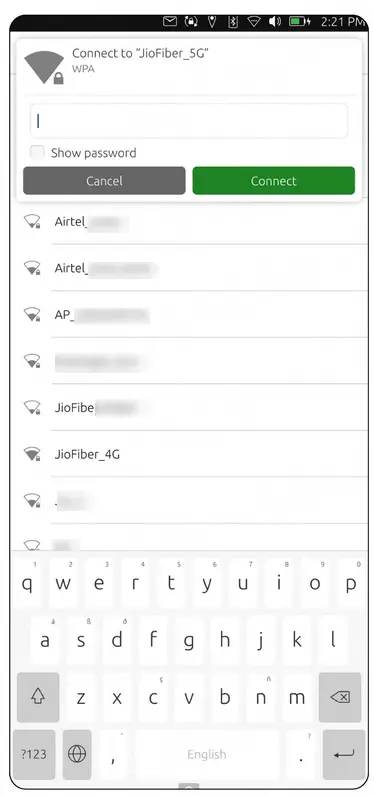
2. Enable Wi-Fi if it's turned off and select a network from the list. Enter the Wi-Fi password, then tap Connect.